 Ga naar de hoofdinhoud
SDS authoring: How to create Safety Data Sheets (checklist & software guide)
Learn what SDS authoring is, what an SDS must include, and how to avoid misclassification. Includes a step-by-step SDS authoring checklist and tips for choosing SDS authoring software.
SDS authoring is the process of creating a Safety Data Sheet that accurately describes a chemical product’s hazards, safe handling, and emergency measures — using a standardized structure.
If the SDS is incorrect or difficult to understand, workers, safety teams, and emergency responders pay the consequences.
Many people assume SDS authoring is just listing ingredients and then publishing. That’s one reason hazard misclassification happens, especially when teams build SDSs from scratch and miss what matters most about the finished product.
Key takeaways
- An SDS follows a standardized format (16 sections), and OSHA specifies minimum required information.
- Over-classifying can be a problem, not just under-classifying. They can lead to the feeling that everything is risky, making it hard to identify what is truly dangerous and increase unnecessary costs in the supply chain.
- A practical SDS authoring workflow starts with the product’s hazards and physical properties, then populates the SDS sections with the appropriate supporting data.
- SDS authoring software can reduce rework by standardizing content, managing versions, and helping teams maintain consistency across products and updates.
Table of contents
-
What is SDS authoring?
-
Who is responsible for writing an SDS?
-
What are the 16 sections of an SDS?
-
Under-classified vs. over-classified: why accuracy matters
-
A step-by-step SDS authoring checklist
-
When SDS authoring software makes sense
-
How to choose SDS authoring softwar
-
FAQs
1) What is SDS authoring?
SDS authoring is the process of creating a Safety Data Sheet that includes the minimum required hazard and safety information in a standardized format, so people can quickly find what they need in normal work and emergencies.
If you’ve ever tried to find “first aid” information in the middle of a spill, you already understand why having a clear process matters. It’s a tool people use under pressure, not just paperwork.
2) Who is responsible for writing an SDS?
In most supply chains, the manufacturer or supplier is responsible for preparing the SDS for hazardous chemicals and ensuring it contains the required information. Many companies outsource SDS authoring, but the responsibility to provide accurate hazard communication doesn’t magically disappear when a third party is involved.
That’s why the best SDS processes don’t treat authoring as a one-time task. Instead, it’s about creating systems that include gathering information, following rules, reviewing, publishing, and updating.
3) What are the 16 sections of an SDS?
Under OSHA’s Hazard Communication Standard, SDSs follow a 16-section format, and Appendix D outlines the minimum information required — especially for Sections 1–11 and 16.
OSHA notes that Sections 12–15 may be included but are not mandatory under OSHA (though they are often included for alignment with GHS and global practices).
The 16 SDS sections (quick view)
-
Identification
-
Hazard(s) identification
-
Composition/information on ingredients
-
First-aid measures
-
Fire-fighting measures
-
Accidental release measures
-
Handling and storage
-
Exposure controls/personal protection
-
Physical and chemical properties
-
Stability and reactivity
-
Toxicological information
-
Ecological information
-
Disposal considerations
-
Transport information
-
Regulatory information
-
Other information (including date of preparation/last revision)
If your team is new to this, focus on Sections 1–11 and 16. These sections cover most practical, real-world use cases.
4) Under-classified vs. over-classified: why accuracy matters
Under-classifying is the obvious risk: hazards can be missed, protections can be inadequate, and accidents can happen.
However, over-classifying can also be an issue. If everything is flagged as severe, then nothing truly stands out, and people become desensitized.
It’s like the boy who cried wolf—detecting real dangers becomes harder.
Over-classification can also lead to costs: more restrictive transport, heavier handling requirements, more PPE, slower operations, and unnecessary friction across the supply chain.
The goal is not to give more warnings but to classify hazards accurately so that the important ones are seen, and the right controls are applied.
5) A step-by-step SDS authoring checklist (practical workflow)
If you want a usable SDS authoring process, here’s a simple workflow you can follow.
Step 1: Confirm what you’re authoring
Start with the finished product: physical state, intended use, key hazards, and where it will be sold or used. If you don’t know the destination requirements, you’ll end up revisiting the SDS later.
Step 2: Gather your inputs
You’ll need ingredient data, but you’ll also need physical properties (pH, flash point, boiling point, etc.). Much SDS content is driven by product properties and hazards, beyond the list of ingredients.
Step 3: Classify hazards in a consistent, defendable way
This is the core of SDS authoring. Inconsistent classification (across suppliers, sites, or product families) might lead to unnecessary rework and risk.
Step 4: Populate the SDS sections
OSHA’s Appendix D specifies minimum information by section; treat it like your baseline checklist. If there’s no applicable information, state that clearly.
Step 5: Review and approve (with a paper trail)
SDSs get challenged — internally and externally. You want to track the process from start to end: understanding what changed, when it happened, and the reasons behind it.
Step 6: Publish, distribute, and maintain
An SDS isn’t considered “done” after publication. Formulations evolve, suppliers shift, and regulations update. Without a regular maintenance cadence, your library quickly becomes outdated.
6) When SDS authoring software makes sense
If you’re authoring more than a handful of SDSs — or you’re updating them regularly — manual workflows usually break down in predictable ways: version confusion, inconsistent classification, duplicated work, and slow turnaround whenever something changes.
SDS authoring software can help by standardizing how information is stored and reused (ingredients, product families, phrases), so teams don’t have to rebuild SDS content from scratch each time.
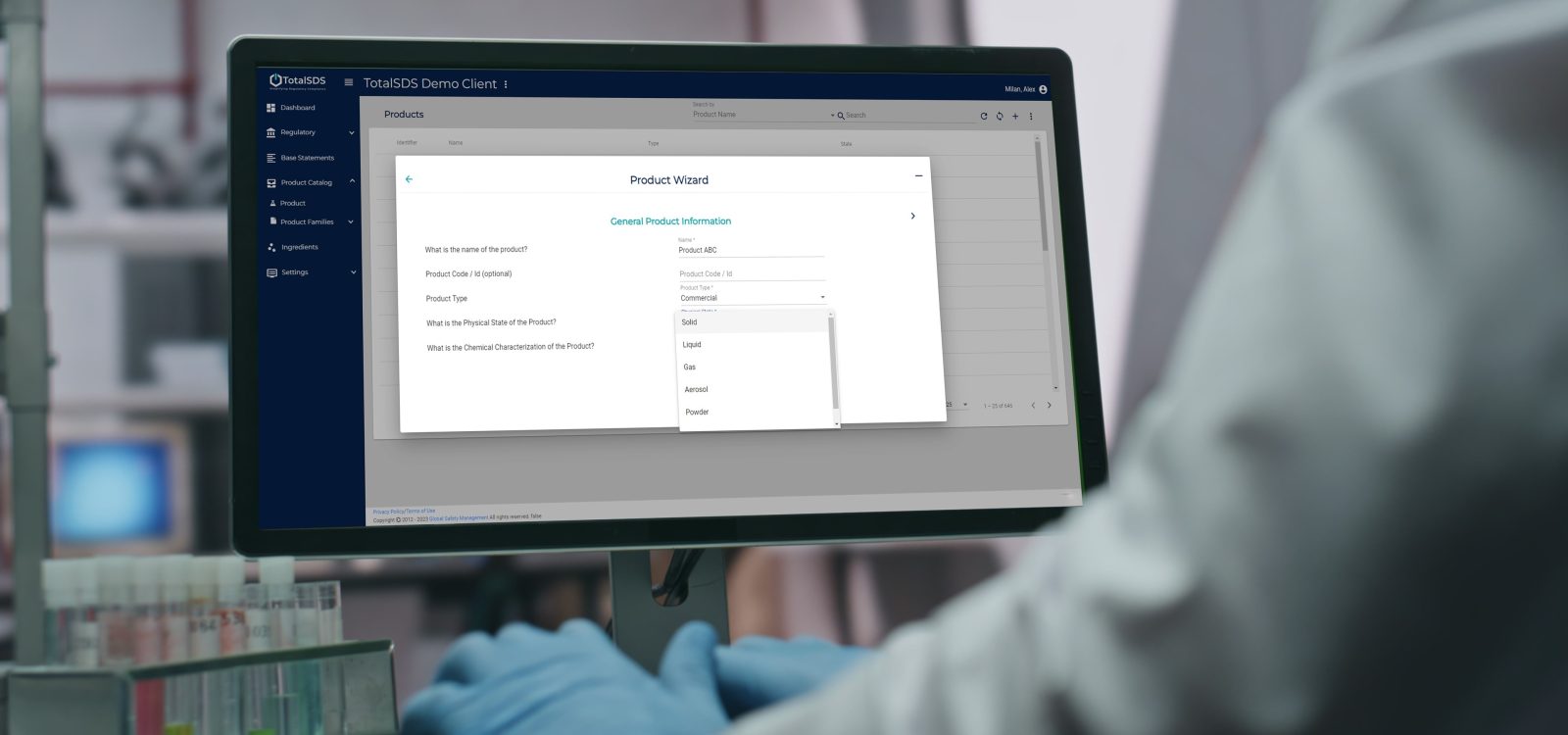
SDS Author by Enhesa is designed to support faster, more consistent authoring by using a global ingredient library and allowing data to be entered once and applied across products — while still allowing product-level edits where needed.
7) How to choose SDS authoring software (what to look for)
If your team spends more time searching for “the latest SDS” than focusing on safety and compliance improvements, it’s a sign you’ve moved beyond spreadsheets and shared drives.
However, choosing the right SDS authoring software can be challenging due to various factors to consider.
Want to see SDS Author in action?
If you’re evaluating SDS authoring software and want a quick walkthrough, the SDS Author by Enhesa team offers demos tailored to your products and workflow. Book one today.
FAQs (SDS authoring)
What is SDS authoring?
SDS authoring is creating an SDS that follows the required structure and includes the minimum hazard and safety information needed for hazard communication.
What must an SDS include?
OSHA’s Appendix D outlines the minimum information required under Section 1 (especially Sections 1–11 and 16).
Are there always 16 sections?
Standard SDS format uses 16 sections. Under OSHA, sections 12–15 may be included but are not mandatory under OSHA requirements. Learn more about OSHA training and compliance here.
Who is responsible for writing an SDS?
Typically, the manufacturer or supplier prepares the SDS for hazardous chemicals, and companies may outsource preparation, but still need accurate hazard communication.
When should an SDS be updated?
Whenever there are meaningful changes (formulation, hazard classification inputs, or regulatory expectations) and as part of an ongoing maintenance approach.
Need support with SDSs?
If you want to author SDSs in an intuitive process with easy-to-use software, or manage all your SDSs effectively, look at our two trusted, industry-proven solutions: SDS Author and SDS Manager. Click below for more details.